November- Singapore Cloud Communications Dinner
The Cloud Communications Alliance invites APAC cloud communications leaders to ...

UCaaS brings voice, video, messaging, and collaboration tools into one cloud-based platform.
The most valuable UCaaS features include VoIP, video conferencing, team collaboration, mobile access, integrations, analytics, security, and AI.
Strong platforms also improve administration and reliability with centralized management, presence indicators, and built-in redundancy.
For modern businesses, UCaaS makes it easier to support hybrid work, scale communication, and reduce reliance on rigid on-premises systems.
When it comes to UCaaS, the question isn't whether to adopt – it's how to choose a platform that delivers real value for your teams. UCaaS providers regularly add new capabilities and improve existing features, making it crucial to understand what matters most.
Whether you're evaluating a switch to a new solution or maximizing your current platform's potential, there are some features that can’t be overlooked. Read on to explore the must-have features you should look for in a UCaaS platform and how different organizations put these tools to work.
UCaaS brings voice, video, messaging, and collaboration tools together in a single cloud-based platform. Instead of relying on separate systems for phone service, meetings, internal chat, and file sharing, your team works from one connected environment that keeps communication organized and accessible.
That matters in day-to-day operations. Employees can move between calls, meetings, messages, and shared work without losing context, while IT teams spend less time managing disconnected tools that don’t communicate well with each other.
Traditional on-premises phone systems often make it harder to adapt when your business grows, your teams become more distributed, or your communication needs change. UCaaS gives organizations a more flexible model by delivering those capabilities through the cloud.
That means businesses can roll out features faster, support employees across locations, and avoid the upkeep that comes with older hardware-heavy systems. It also makes it easier to create a more consistent communication experience across the organization, whether employees are working at a desk, in the field, or from home.
Your UCaaS platform serves as the foundation for your business communications. When evaluating different options, these nine features can make the biggest difference in day-to-day operations:
UCaaS solutions enable employees to switch between different communication channels – such as voice, email, video, and instant messaging – while keeping track of all their conversations and customer interactions in a central location. The system maintains the full history and context of each interaction, so team members can pick up conversations right where they left off, even when switching from chat to phone calls or video meetings.
Voice over Internet Protocol (VoIP) lets your team make and receive calls over the Internet instead of phone lines, making it a cornerstone of UCaaS. VoIP reduces costs since you don't need separate phone systems, and you can easily add new lines as your team grows. Plus, the sound quality matches or exceeds traditional phone systems, and features like call forwarding, voicemail-to-email, and conference calling come standard.
Clear, reliable video calls keep remote and office teams connected. Look for UCaaS platforms that offer high-definition video and audio, screen sharing, virtual backgrounds, and recording tools. Additional features like breakout rooms for small group discussions, meeting scheduling assistance, and calendar integration make it simple to organize and run productive video meetings.
Collaboration tools like shared task lists, calendars, and document storage help teams organize their work and stay productive. When these tools integrate with your UCaaS system, employees spend less time switching between disjointed apps and more time getting things done.
Teams can create dedicated spaces for different projects, share files instantly, and track progress on group tasks. Real-time document editing lets multiple people work on the same files simultaneously, while version control keeps track of changes.
Strong collaboration also depends on knowing who’s available and how best to reach them. Presence and status indicators show whether someone is online, busy, in a meeting, or away, helping employees make faster decisions about when to call, message, or schedule time.
This may seem like a small feature, but it removes friction across the workday. Teams waste less time chasing unavailable colleagues, internal handoffs move more smoothly, and employees can respond with better timing across chat, voice, and video.
Some UCaaS platforms allow you to customize the look and feel of your communication tools to reflect your company’s brand. This includes branded video meeting interfaces, custom login portals, and even white-label versions for MSPs and resellers.
These features ensure a consistent brand experience for both employees and customers, whether they’re using chat, video, or phone.
Artificial intelligence (AI) enhances UCaaS with features like automated transcription, meeting summaries, sentiment analysis, and predictive insights. AI can also enable automatic call routing to send customers to the right department based on their needs, while AI assistants can answer basic questions outside of business hours.
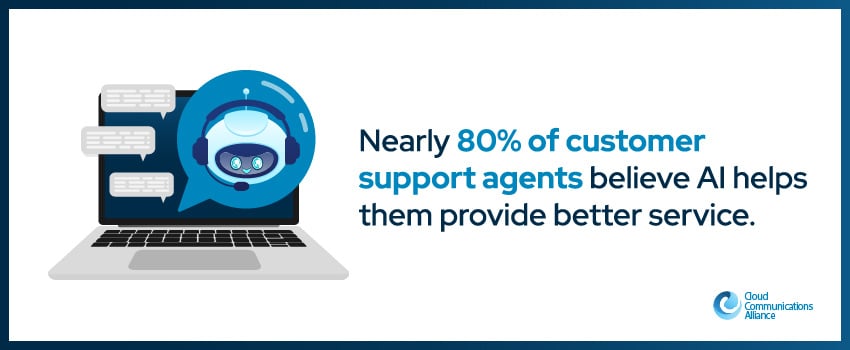
These tools save time and improve customer service outcomes, with a 2025 report finding that nearly 80% of agents believe AI helps them provide better service.1
More UCaaS providers now offer lightweight contact center tools for sales and support teams, without requiring a full-blown CCaaS (Contact Center as a Service) deployment. These include automatic call distribution (ACD), intelligent call routing, call queuing, and real-time dashboards for monitoring agent performance.
These features are ideal for businesses that want to support customer-facing teams with call center functionality while keeping everything within a single UCaaS environment.
Your UCaaS platform should connect smoothly with other business tools like your customer database, email, and project management software. These connections reduce manual data entry and keep information current across all your systems.
Look for a provider that offers pre-built integrations with popular business apps and the ability to create custom connections when needed. Smart integrations can trigger automated workflows, like creating support tickets from customer emails or updating contact records after calls.
Some UCaaS platforms now offer built-in CPaaS (Communications Platform as a Service) capabilities. This allows businesses to embed messaging, voice, and video functions directly into their own apps or workflows using APIs. For example, you can set up automated SMS alerts for appointment reminders or trigger outbound calls based on CRM activity.
This flexibility enables teams to create custom communication experiences tailored to customer journeys and internal operations, without needing to leave the UCaaS platform.
Mobile apps give your team secure access to all their communication tools from any device. Push notifications keep team members informed about important messages and meetings, while secure sign-in protects sensitive communications on personal devices. Make sure to find a UCaaS platform that offers the same mobile experience as the desktop version, with access to the same features and information.
Since UCaaS relies on real-time communication, network performance is critical. Modern platforms offer Quality of Service (QoS) tools, SD-WAN compatibility, and bandwidth prioritization to ensure consistent voice and video quality, even across remote or global teams.
Some vendors also provide call path optimization and real-time diagnostics to detect latency, jitter, or packet loss before they affect users. These features help IT teams proactively manage uptime and ensure a smooth communication experience across the business.
Built-in analytics show you how your teams communicate and where they might need additional support. The right UCaaS solution should include reporting capabilities to track metrics like response times, call volumes, and popular communication channels so that your managers can monitor team performance in real time and spot issues before they impact service quality.
The average total cost of a data breach in 2024 was $4.88 million – the highest reported total yet.2 Protecting your sensitive communications and your bottom line requires a UCaaS platform with advanced security features like end-to-end encryption and multi-factor authentication, plus compliance with regulations that affect your industry.
In addition to encryption and multi-factor authentication, many UCaaS platforms now support industry-specific compliance (e.g., HIPAA, GDPR, SOC 2, ISO 27001) and offer data residency options for customers in regulated regions. This means your communication data can be stored within specific geographic jurisdictions to meet local laws.
Such features are especially important for industries like healthcare, finance, and government, where data sovereignty and auditability are non-negotiable.
Organizations across many sectors rely on UCaaS to streamline their operations and improve service. Here's how different industries put these features to work:
UCaaS enables reliable and HIPAA-compliant communication between doctors, patients, and staff. Features like automated appointment reminders can help keep schedules running smoothly, while secure messaging lets staff discuss patient care quickly and safely.
Schools and universities can use UCaaS to support both in-person and remote learning through virtual classrooms. Teachers share materials instantly, host interactive lessons, and keep parents updated through their preferred communication channels.
Retailers leverage UCaaS to coordinate between stores, warehouses, and customer service centers. Staff can check inventory, answer customer questions, and manage deliveries from one platform, creating a smoother shopping experience.
Banks and financial advisors use the secure communication channels offered by UCaaS to serve clients remotely. Teams can share documents, host virtual meetings, and maintain detailed records of all client interactions.
Manufacturers can use UCaaS platforms to coordinate with suppliers, troubleshoot issues through video calls, and track production updates in real time. Better communication helps prevent supply chain delays and keeps products moving efficiently.
Government agencies use UCaaS to enable secure, cloud-based communication between departments, field workers, and citizens. Features like encrypted video conferencing, virtual town halls, and compliance with frameworks such as FedRAMP or CJIS support reliable public services at scale.
Consulting firms, law offices, and marketing agencies use UCaaS to manage client calls, collaborate on deliverables, and securely store records of communication. Integrated calendars, screen sharing, and CRM connections make it easier to keep projects on track and deliver excellent service.
Businesses that switch to UCaaS often see improvements like:
Omnichannel support and AI-powered tools enable businesses to deliver faster, more personalized service – a must, considering 71% of businesses that provide personalized experiences are more likely to report improved customer loyalty.3
Teams work together more effectively when they have the right tools. UCaaS platforms offer features like video calls, group chats, and shared documents, making it easy to solve problems and share ideas.
UCaaS eliminates the need for hardware or maintenance, which typically results in significant cost savings for businesses. And because UCaaS platforms are offered via monthly subscriptions, your communications costs are more predictable.
Unlike legacy communication systems, UCaaS platforms adjust easily as your needs change. Adding new features or users takes minutes instead of weeks, helping your organization stay agile.
Since UCaaS is delivered through the cloud, providers can send regular system updates to ensure you always have access to the newest communication tools and security features.
Whether it’s a weather-related disruption, a network outage, or a global emergency, UCaaS helps keep your business running. Teams can access the full communication stack from any device, ensuring operations stay online even when your physical office can’t.
Reliability is one of the biggest reasons businesses move their communications to the cloud. A strong UCaaS platform is built to support consistent uptime, with infrastructure designed to reduce the risk of service disruption and keep communication channels available when teams need them most.
Redundancy and disaster recovery features strengthen that reliability even further. If one location, device, or connection point runs into problems, employees can often continue working through other devices or environments with minimal interruption. For businesses that depend on fast response times and always-on communication, that resilience is hard to overlook.
UCaaS platforms are designed to meet the demands of distributed teams. Whether working from home, the office, or on the go, employees get a consistent experience across devices, with full access to calls, messages, meetings, and files, no extra setup required.
Modern UCaaS platforms don’t just support communication, they integrate with the tools your team already uses. From CRMs and help desks to project management and HR platforms, these integrations reduce data silos and streamline daily workflows.
The most important UCaaS features depend on how your team works, but some capabilities matter for almost every business. These typically include VoIP calling, video conferencing, team messaging, mobile access, integrations with other business tools, analytics, and strong security controls. If customer-facing communication is a priority, features like omnichannel support, AI tools, and native contact center functionality can also make a big difference.
UCaaS improves communication by bringing voice, video, messaging, and collaboration tools into one connected environment. Instead of switching between separate platforms, employees can manage conversations, meetings, files, and workflows in a more organized way. That reduces friction during the workday and helps teams respond faster internally and externally.
Yes, UCaaS is especially well suited for hybrid and remote work. Employees can access the same communication tools from the office, at home, or while traveling, using desktop and mobile devices. This creates a more consistent experience across locations and helps distributed teams stay connected without relying on a patchwork of separate apps.
Traditional phone systems focus mainly on voice calling and often depend on on-premises hardware. UCaaS goes much further by combining business calling with video meetings, chat, collaboration features, mobile access, analytics, and integrations, all delivered through the cloud. That gives businesses more flexibility and makes it easier to scale as needs change.
Yes, many UCaaS platforms integrate with CRMs, help desks, email platforms, project management tools, and other core business systems. These integrations help reduce manual work and keep information more consistent across teams. In many cases, they also support workflow automation, such as updating contact records after calls or creating tickets from customer interactions.
UCaaS can reduce costs by eliminating the need for separate communication systems and minimizing hardware, maintenance, and upgrade expenses. It also gives businesses more predictable monthly costs through subscription-based pricing. Beyond direct savings, many organizations also benefit from lower administrative overhead and better efficiency across teams.
Many UCaaS platforms are designed with strong security and compliance requirements in mind. Features like encryption, multi-factor authentication, auditability, and support for standards such as HIPAA, GDPR, SOC 2, or ISO 27001 can help businesses protect sensitive communication data. That said, the exact level of security and compliance support varies by provider, so it’s important to evaluate those capabilities carefully.
One of the biggest advantages of UCaaS is scalability. Businesses can usually add users, locations, and features much more quickly than they can with legacy systems. That makes UCaaS a practical choice for companies that are growing, supporting distributed teams, or adapting to changing communication needs over time.
Modern UCaaS platforms do more than connect teams – they directly impact your ability to serve customers and adapt to changing business conditions. As UCaaS capabilities continue to evolve, staying current with the latest features can help you maximize the return on your communication technology investment.
At the Cloud Communications Alliance (CCA), we provide the support, education, and networking opportunities our members need to discover industry trends and research on the evolution of cloud services, market dynamics, and growth strategies. If you’re ready to explore the transformative power of UCaaS, we invite you to join our community.
Visit our website to learn more or become a member of the Cloud Communications Alliance today.
Sources:
Browse these posts below for the latest in cloud communications news and insights.