What Is Cloud Communications Standards Governance
The cloud communications market is expanding rapidly, and the protocols ...

The way teams work together has changed dramatically over the past decade. Hybrid workforces and an ever-expanding array of digital tools have redefined what it means to collaborate – and raised the bar for what businesses need to do it well.
Yet for all the complexity that comes with modern work, the core idea behind business collaboration hasn't changed at all: people working together toward a shared goal, more effectively than they could alone.
What has changed is the technology required to support it and the strategic importance of getting it right. In this guide, we’ll cover everything you need to know about what business collaboration is, why it matters, what tools make it work, and how to build a culture where it actually thrives.
Business collaboration is when individuals, teams, or organizations work together to achieve shared objectives. The common thread is intentional coordination – sharing information, aligning on goals, and building on one another's contributions – rather than working in isolation.

Effective business collaboration involves a combination of shared context, mutual accountability, the right tools, and an organizational culture that values collective output over individual effort. When all of those elements are present, businesses can move faster, make smarter decisions, and deliver more consistent results.
Not all collaboration looks the same. Understanding the different types helps businesses identify where they're strong, where gaps exist, and what kind of support – technological or cultural – is needed in each area.
Internal collaboration happens within a team or department and can include anything from day-to-day coordination and shared decision-making to knowledge transfer and peer feedback. Strong internal collaboration keeps teams aligned, reduces duplicated effort, and accelerates project delivery.
Cross-functional collaboration brings staff from different departments together to work on initiatives that span multiple areas of the business.
While this type of collaboration is valuable for large projects, product launches, and strategic planning, it also requires deliberate structure to prevent communication gaps and conflicting priorities.
It’s not uncommon for businesses to collaborate with parties outside the organization, such as vendors, partners, contractors, and industry peers. External collaboration demands secure, accessible platforms that can accommodate users who aren't part of the internal tech stack, along with clear protocols for data sharing and intellectual property protection.
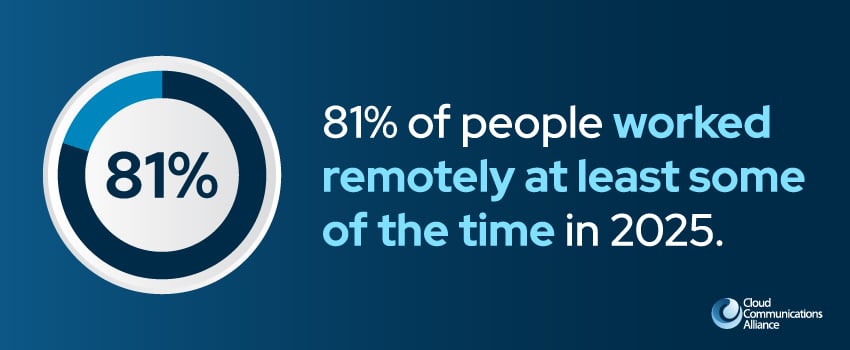
Distributed workforces have become the norm, with 81% of people working remotely at least some of the time in a 2025 survey.1 As a result, remote and asynchronous collaboration – where team members work together across time zones and schedules – has grown in importance.
This type of collaboration relies on documentation, shared digital workspaces, and tools designed to keep work moving forward even when not everyone is available at the same time.
Here's why companies that invest in collaboration consistently outperform those that don't:
The range of possible solutions to a shared challenge expands when you bring diverse perspectives together. Cross-functional teams tend to identify blind spots that homogeneous groups miss, and the combination of different expertise often produces solutions that a single person likely wouldn’t have reached on their own.
Decisions made with input from multiple stakeholders are better calibrated to real-world complexity. Collaborative decision-making helps to:
When you put these elements together, you get faster, more consistent implementation.
Global employee engagement fell to 20% in 2025, costing the world economy around $10 trillion in lost productivity.2 People who feel connected to their colleagues and included in meaningful work are more engaged, more motivated, and more likely to stay. Collaboration is one of the most powerful drivers of the psychological sense of belonging that keeps employees performing their best.
Effective collaboration eliminates the redundancy that comes from teams working in silos. In a 2025 survey, over half (53%) of employees said they’ve wasted time as a result of communication issues in their business.1
When information flows freely, work isn't duplicated, decisions aren't relitigated, and projects move forward without the drag of miscommunication.
Internal alignment directly affects the experience customers have. Customers encounter fewer handoff failures, more accurate information, and faster issue resolution when your sales, service, product, and operations teams collaborate effectively.

Without the right infrastructure, collaboration breaks down. Collaboration technology has become the connective tissue of modern organizations – enabling teams to communicate, coordinate, and create together regardless of geography or time zone.
The most important categories of collaboration technology include:
Channel-based messaging platforms like Microsoft Teams, Slack, and Cisco Webex have largely replaced email as the primary medium for day-to-day team communication.
These platforms allow for threaded messages, direct messaging, and group channels organized by topic, project, or team, so discussions stay contextual and searchable.
Video conferencing is now a staple for remote and hybrid teams. Beyond replacing in-person meetings, many of these platforms offer features like:
With these capabilities, what was once a simple video call is now a rich, productive workspace.
Cloud-based document platforms allow multiple team members to work on the same file at once, eliminating version control chaos and the endless email chains that come with attachment-based workflows.
Combined with centralized cloud storage, these tools ensure that the right people always have access to the most current information.
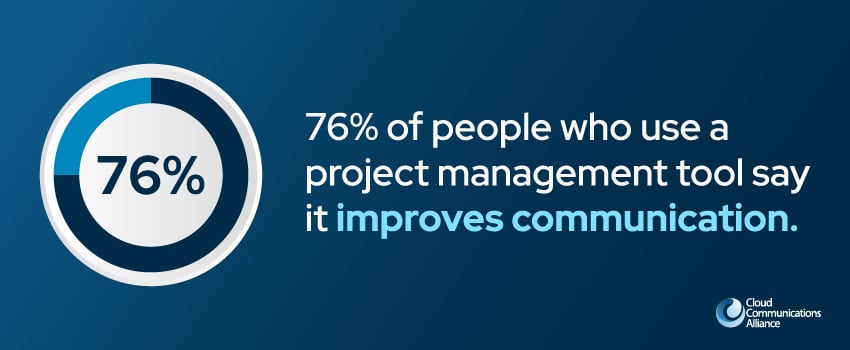
76% of people who use a project management tool to communicate with coworkers say it improves communication.3
Project management tools give teams shared visibility into task status, dependencies, and workload distribution, reducing coordination overhead and keeping projects on track without requiring constant check-ins.
The market for collaboration solutions is crowded, and the right choice isn't always the platform with the most features. The best solution is the one that fits how your teams actually work – and that integrates cleanly with the other tools in your technology stack.

When evaluating collaboration solutions, consider:
For organizations seeking leading collaboration providers and solutions, the CCA's Cloud Communications Providers Directory connects you with vetted vendors offering comprehensive collaboration technology platforms.
The ideal collaboration solution varies widely depending on the size of your organization, the nature of your work, your existing technology environment, and how your teams are structured. But while there's no universal answer here, there is a structured approach that leads to better decisions.
Before you even start evaluating platforms, document how your teams actually collaborate today. Where does communication break down? Are any workflows creating friction? Answering questions like these can help you identify the problems you need to solve before evaluating solutions.
When technology adoption fails, it usually isn’t because the tool is wrong, but because the people who need to use it weren't part of the selection process. Involving representatives from different teams and roles ensures that the chosen platform reflects real-world working patterns, not just IT preferences.
Map your integration requirements before evaluating vendors to narrow the field quickly and meaningfully. A collaboration solution that connects with the tools your teams already depend on will deliver more value than a feature-rich platform that exists as an island.
Don’t leave adoption to chance. Build a formal rollout plan that includes training, champions within each team, clear communication about why the change is happening, and the success metrics you'll track over time.
If you’re investing in collaboration infrastructure, you may be torn between deploying and managing the platform internally or working with a managed collaboration services provider who can handle setup, administration, updates, and support.
Each model has its own advantages and potential downsides:
Self-managed platforms give your IT teams direct control over configuration, integrations, and data governance. This model works great for:
The trade-off is that ongoing administration, maintenance, and upgrades fall entirely on the internal team.
Managed collaboration services transfer the operational burden to a specialist provider. The provider handles deployment, administration, updates, user support, and security monitoring – leaving internal teams free to focus on using the tools rather than managing them.
This model is increasingly popular with mid-market organizations that want enterprise-grade capabilities without the staffing requirements.
Technology is an enabler, not a solution. The most sophisticated collaboration platform in the world won't create a genuinely collaborative organization by itself.

Here are a few best practices that high-performing collaborative organizations consistently apply:
Remember that culture, habits, and leadership practices are what determine whether collaboration actually happens – or whether it stays aspirational.
Business collaboration has moved from a soft organizational value to a hard competitive necessity. The companies that are growing fastest and delivering the most consistent customer experiences are the ones that have built genuine collaboration into their operations, not just their culture decks.
But getting there requires the right technology, trusted partners, and a community of peers who understand the challenges and opportunities at the leading edge of cloud communications.
The Cloud Communications Alliance connects over 150 of the world's top cloud communications providers, UCaaS innovators, and collaboration technology leaders – all committed to shaping the future of how businesses communicate and collaborate. Our members gain access to exclusive peer networking, industry events, research reports, and advocacy resources that keep them ahead of the market.
If you're a cloud communications or collaboration technology provider looking to grow alongside the best in the industry, we'd love to connect. Apply for CCA membership today and become part of the global community driving the next generation of business collaboration.
Sources:
Browse these posts below for the latest in cloud communications news and insights.